Your music back
Add the pages of your music (a PDF, photos or screenshots). They are read in this browser and kept on this device: nothing leaves it.
Then play: the intonation of every note is shown on your own pages. A preview: the reading is not perfect yet.
My music
Looking…
The checked takes of each piece are kept on this device for the player named here (the same players as on the scale page).
Players with their scales and their takes of the music
Music
The file holds the pages of your music: keep it for your own devices (and your teacher, if they have the same music).
Try a sample piece
Two pieces that are already read, to try the app before you add your own. The notes are checked, so every note can be judged.
Add new music
Or photograph the pages
Take the pages one after the other, in order, then press Read the music.
How to photograph your music
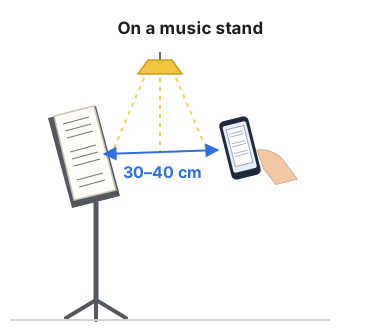
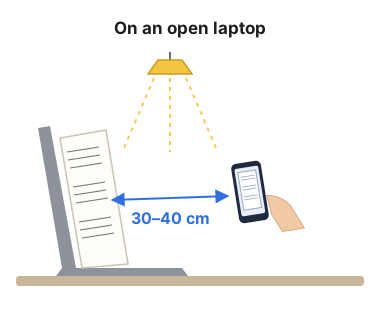
- Stand the book up: on a music stand, or leaning on the screen of an open laptop. Press the pages flat: a page that curls near the spine can lose a line of music.
- Hold the phone 30–40 cm away, parallel to the page, so that the page fills the screen.
- Light from above or behind you, even across the page, so that neither you nor the phone shades it.
- Take the photo in a document scanner app (Adobe Scan, for example): in our tests its pages came out darker and sharper than a camera photo imported into it. No extra sharpening: it made the reading worse.